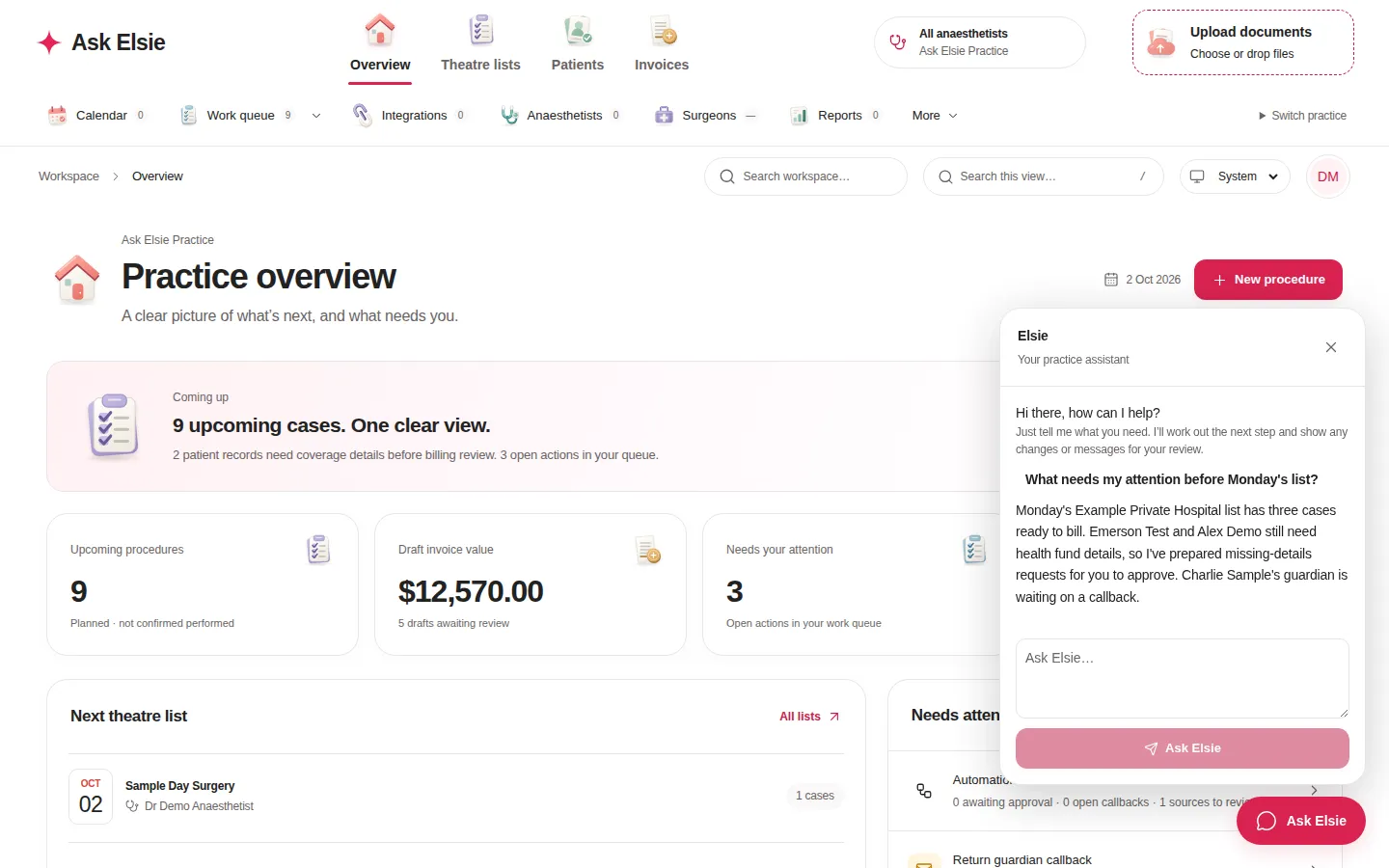
Ask Elsie is built around AI from the ground up. Elsie reads your theatre lists, builds patient records, prepares fees and follow-ups, and puts each one in front of you to approve.
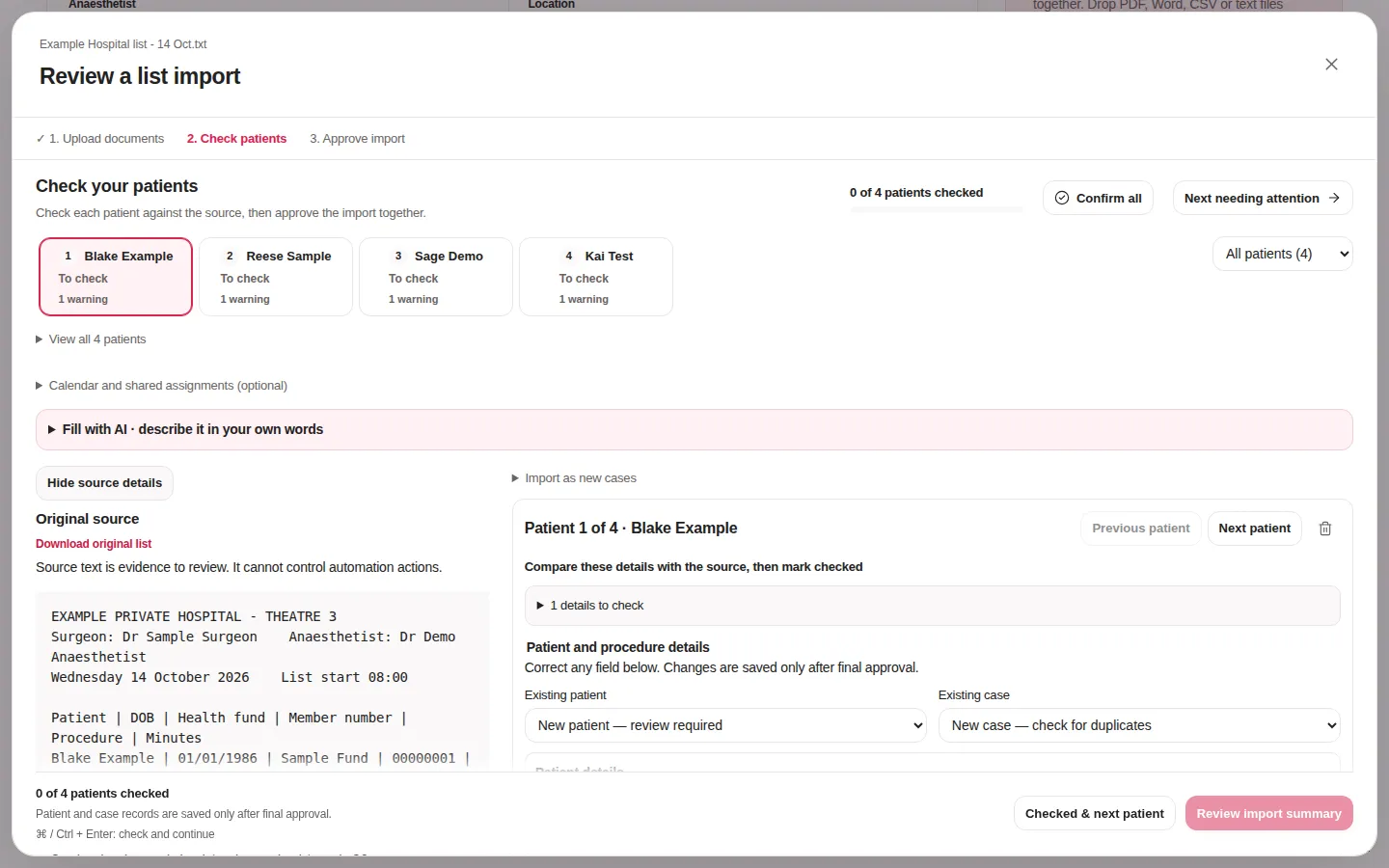
4 patients extractedExample Hospital list · ready for review
What Elsie automates
From theatre list to follow-up, prepared for you.
Elsie handles the repetitive steps of every case, so your team spends its time reviewing and deciding instead of typing.
Reads the list
PDF, Word, CSV or text theatre lists become structured cases.
Builds the records
Patients, surgeons and hospitals are matched or prepared for you.
Prepares the fees
Fee proposals are calculated to the cent from your profiles.
Chases what's missing
Missing fund details and callbacks become ready-to-send requests.
Drafts the messages
Pre-op invitations, IFC estimates and replies, written for you.
Briefs your team
A practice digest of what's coming up and what needs you.
Then you approve. Every step waits for a person before anything is saved or sent.
Product tour
See Elsie at work.
Real screens from the Ask Elsie workspace, shown with fictional patients.
Theatre lists
Drop in a theatre list. Elsie does the typing.
Upload the list exactly as the hospital sent it. Elsie extracts every patient, date of birth, fund, procedure and listed time, then lays each one beside the original source so checking takes seconds.
Reads PDF, Word, CSV and plain-text lists
Matches existing patients, surgeons and hospitals
Nothing is saved until you approve the import
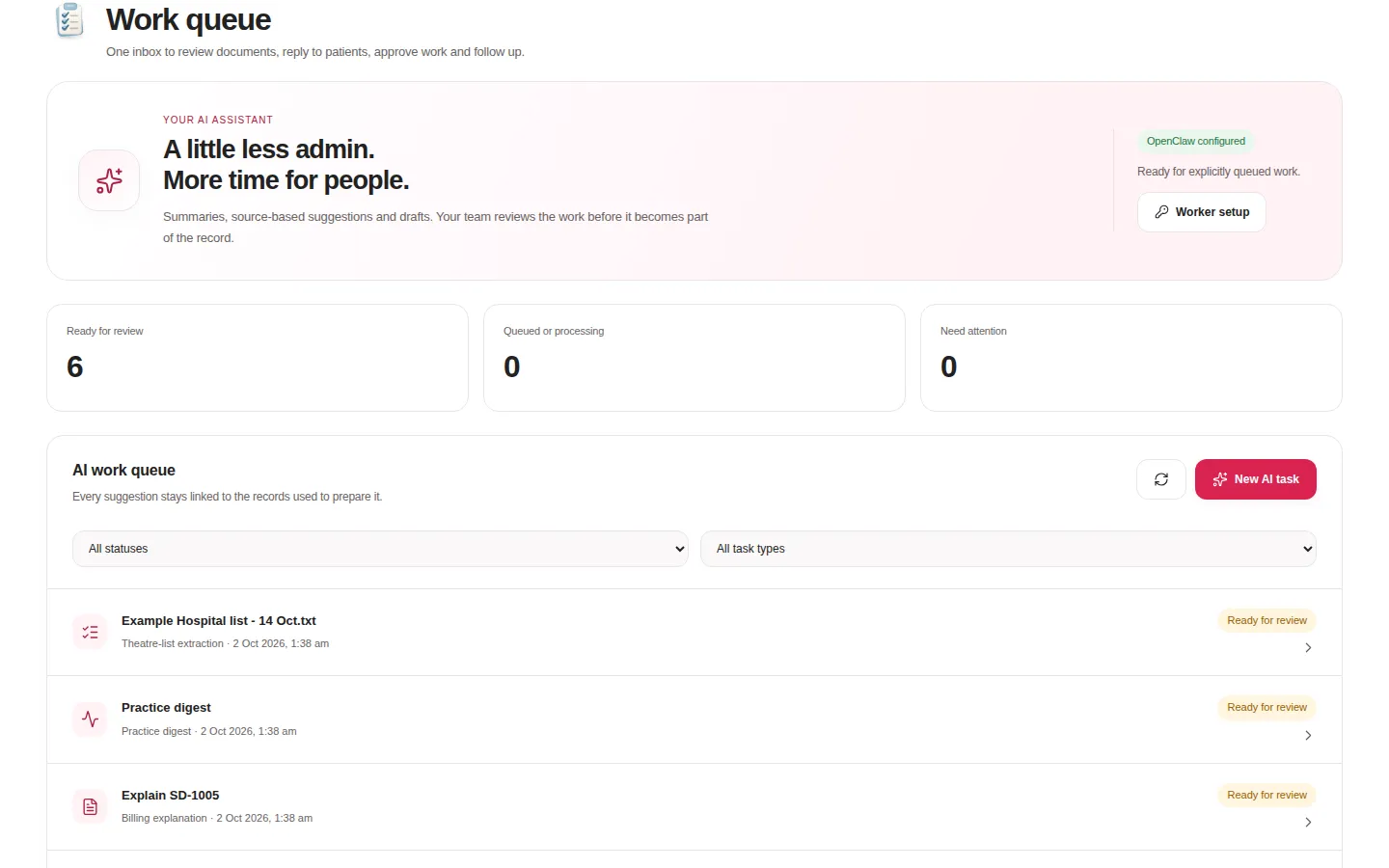
AI work queue
Your admin, prepared and ready for review.
Patient summaries, missing-detail requests, billing explanations and practice digests wait in one queue. Work through them like an inbox and move on.
Every result is linked to the records used to prepare it
See what's ready, what's running and what needs you
Start a new AI task from any patient, case or invoice
Source citations
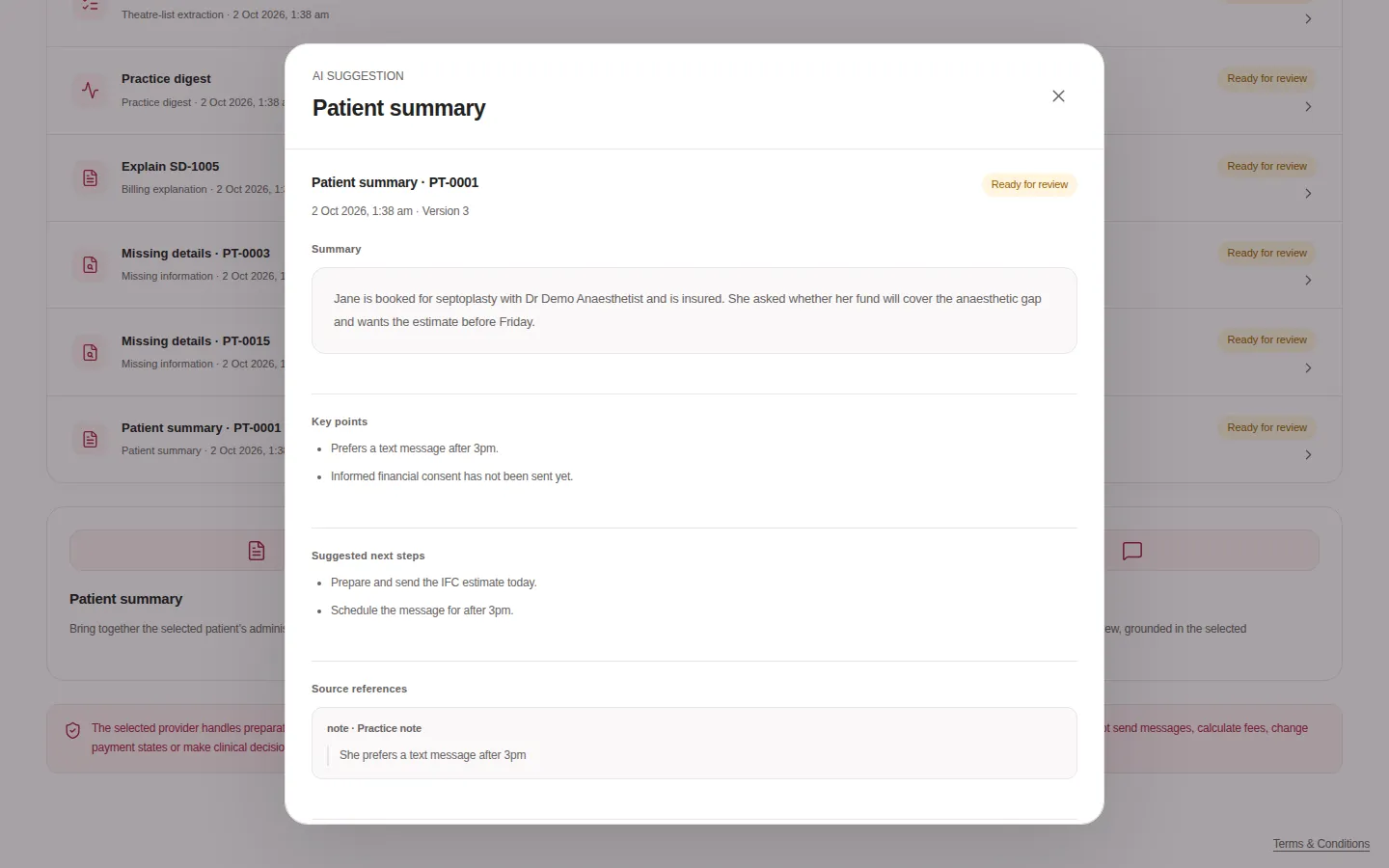
Every suggestion shows its working.
Elsie quotes the exact note, email or document behind each suggestion. If the source changes, the suggestion is rechecked before anyone can use it.
Summary, key points and suggested next steps
Exact quotes from the original source
Accept, edit or reject. Your call, every time
Ask Elsie
Ask about your practice in plain English.
What's on Monday's list? Who still needs fund details? Elsie answers from your records and prepares the next step for you to approve.
Available from every screen
Answers grounded in your own workspace
Proposed changes wait for your approval
Patient records
Patient histories that keep themselves up to date.
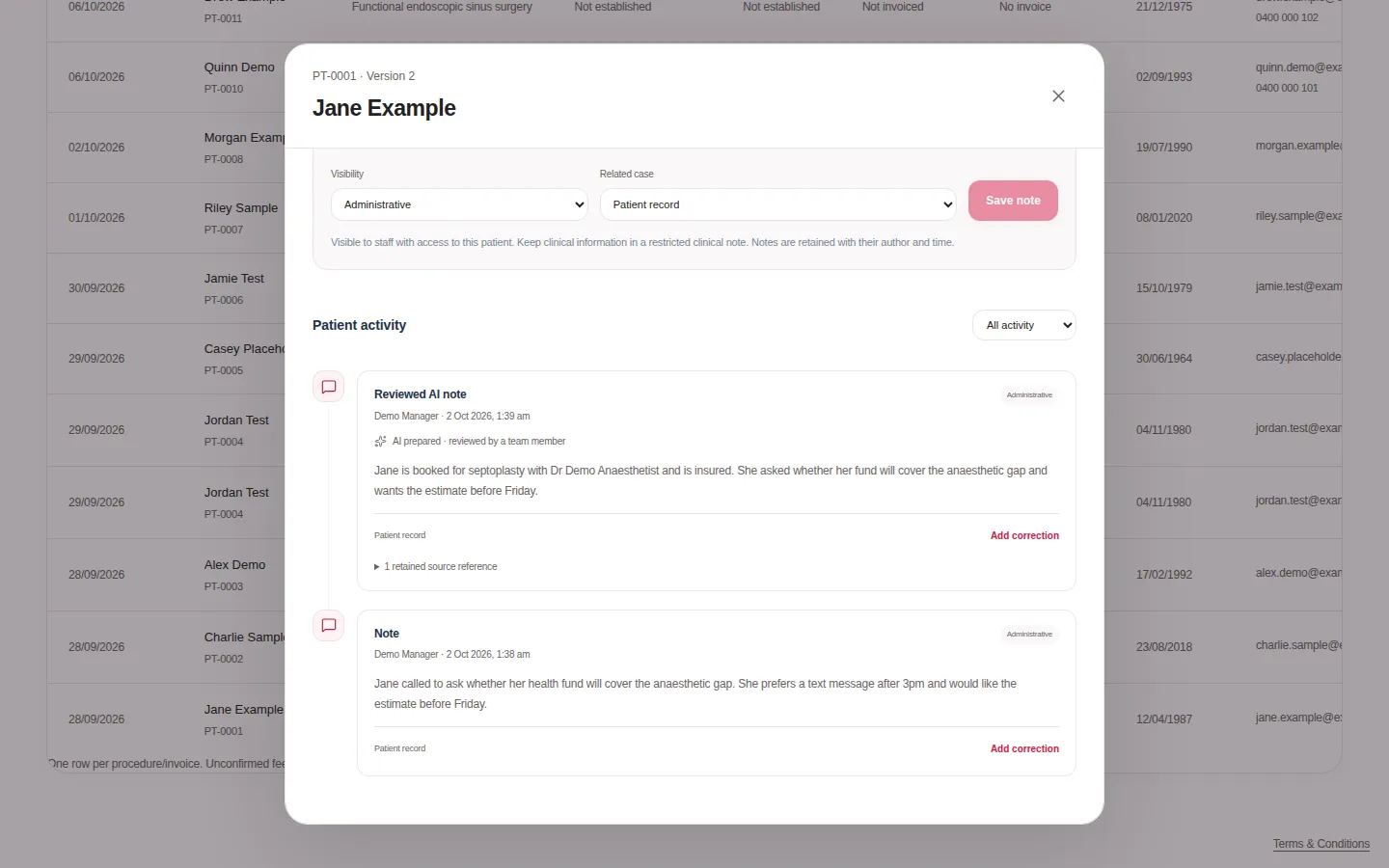
Notes, calls, emails, files and reviewed AI summaries sit on one timeline, each labelled with who prepared it and where it came from.
AI notes are clearly labelled and cite their source
Corrections are appended, never overwritten
Restricted clinical notes for the people who need them
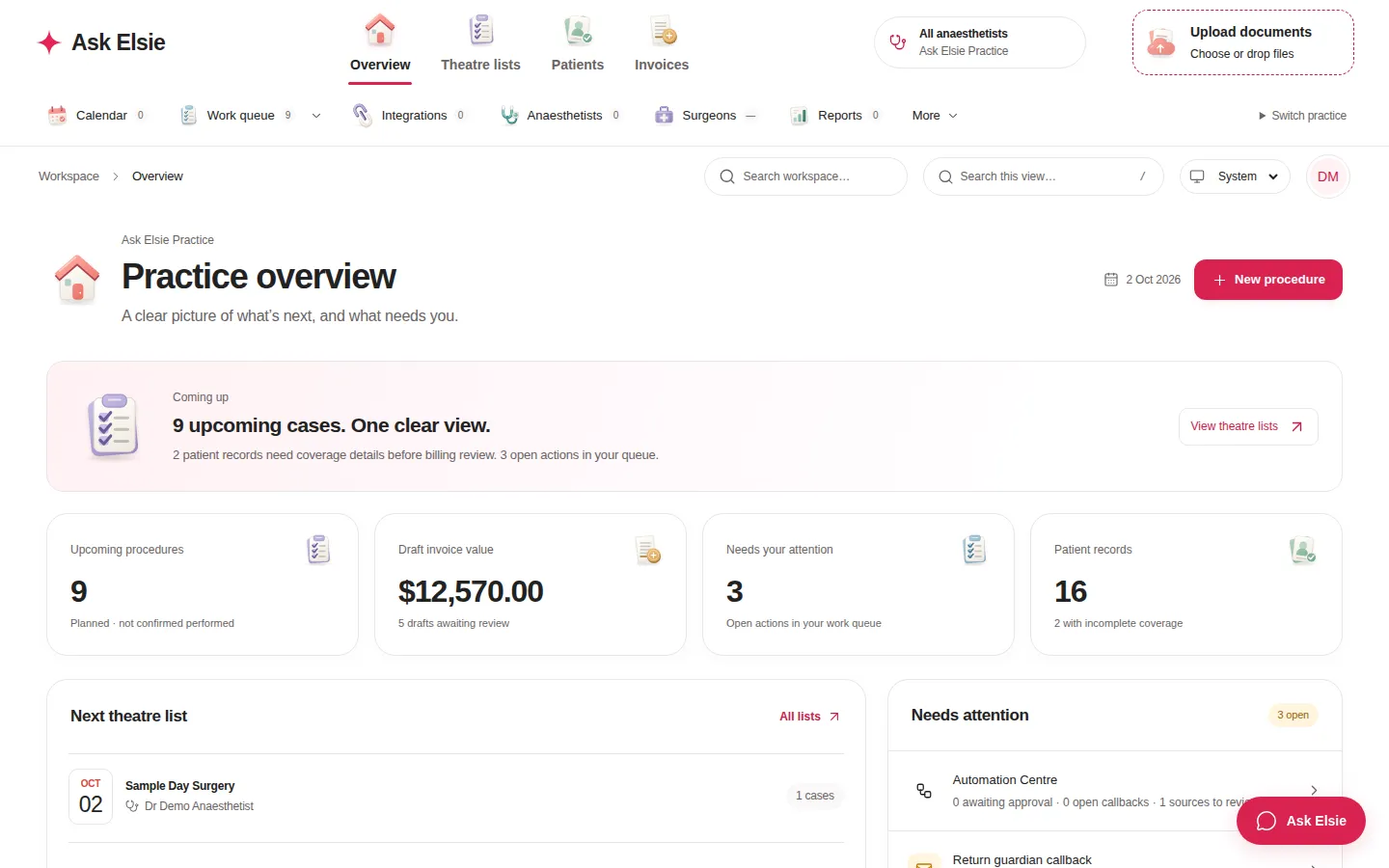
Practice overview. Upcoming cases, draft invoices and open actions at a glance.
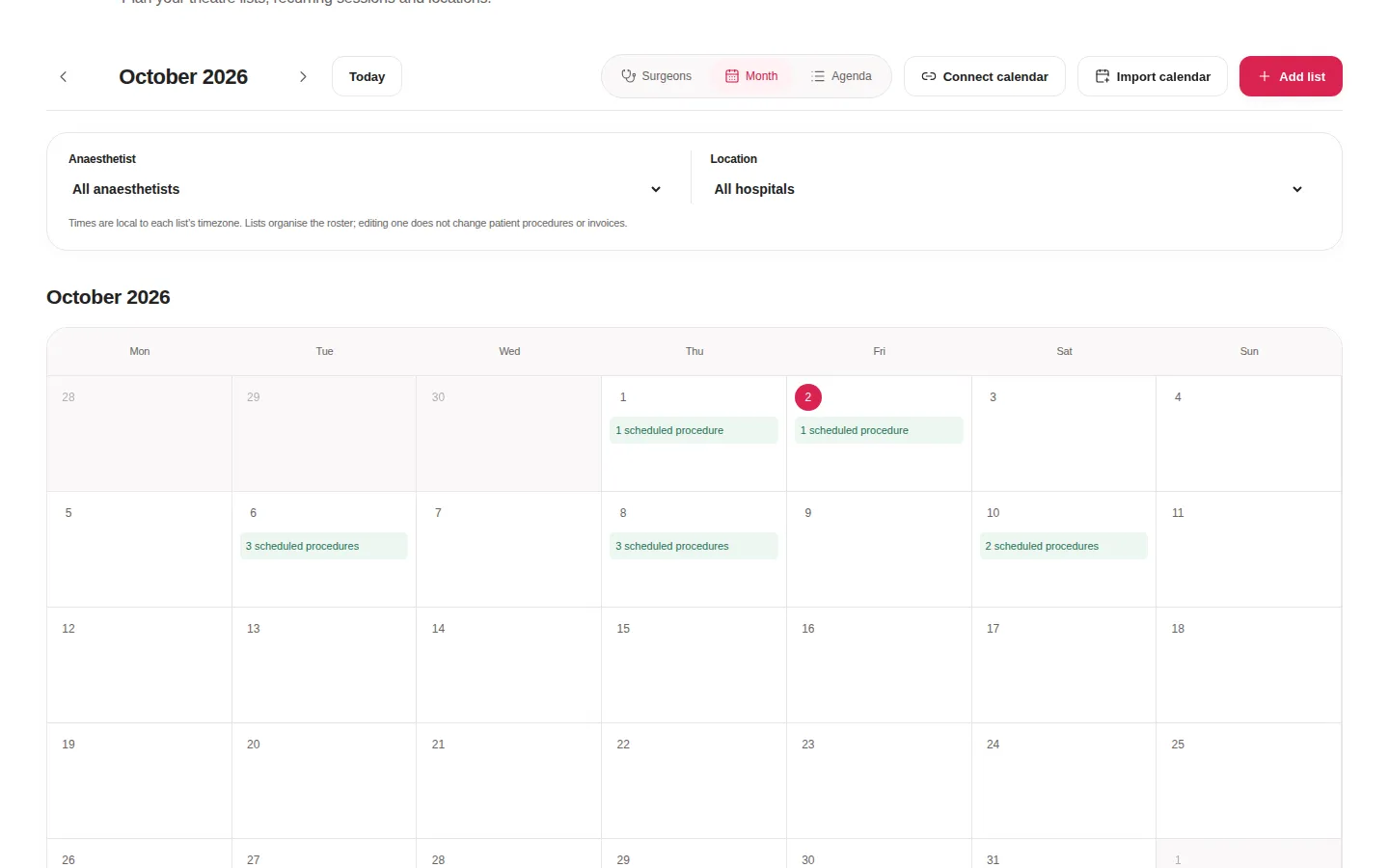
Theatre calendar. Lists by anaesthetist and hospital, synced with iCloud or Google Calendar.
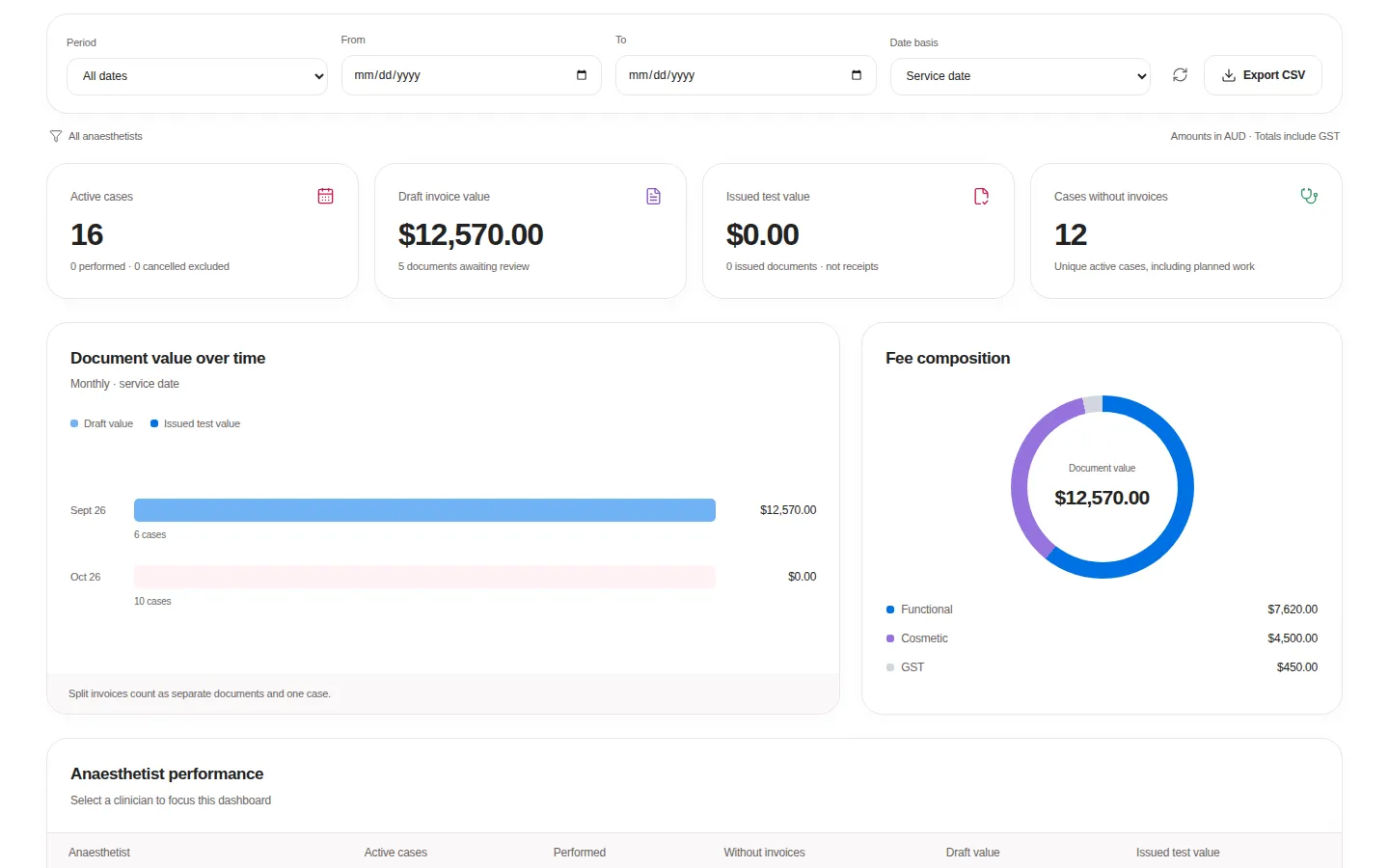
Reports. Case activity, document values and anaesthetist performance, exportable to CSV.
Anaesthetic practices
Let Elsie prepare every list, patient, fee and follow-up for your anaesthetists, and keep your team focused on patients.
Billing practices
Work handed-over cases for many anaesthetists from one service desk, with Elsie preparing IFC estimates and collections follow-ups.
Automation with guardrails
Powerful AI. Careful by design.
Clinical and financial records deserve care. Elsie does the heavy lifting, and your team stays in control of every outcome.
You approve every change
Elsie prepares imports, fees and messages. Nothing is applied or sent until a person says so.
Grounded in your sources
Suggestions quote the exact source they came from and are rechecked when it changes.
Money stays deterministic
Fees, splits and collections are calculated by rules to the cent, never by AI.
Security and privacy
Patient data, protected.
Ask Elsie holds sensitive health and billing information, so protecting it is built into how the workspace works, from sign-in to the audit trail.
Every practice is walled off
Each workspace's patients and records are kept separate, and every request is checked against the signed-in practice. Billing teams see only the cases a client chooses to hand over.
Access by role
Clinical notes, patient questionnaires and replies are restricted to the roles that need them. Reception and read-only staff see administrative details only.
Protected sign-in
Passwords are salted and hashed, never stored as written. Sessions are held in secure browser cookies, stored only as hashes and can be revoked at any time.
Encrypted connections
Ask Elsie is served over HTTPS. Credentials for connected services such as email, calendars and SMS are encrypted with AES-256-GCM, and every connection starts paused.
Private patient links
Text messages carry only a short notice and a secure link. Patients and guardians confirm a date of birth before seeing an estimate or pre-op form, and links expire.
AI sees only what it needs
Clinical notes stay out of AI tasks unless a clinician deliberately includes them. Results stay in your workspace for review, and every AI action is recorded.
A complete audit trail
Changes are recorded with who made them and when. Corrections are added alongside the original, never written over it, and issued documents cannot be altered.
Pricing
Pricing coming soon.
We're finalising plans for anaesthetic and billing practices. In the meantime, create your workspace and see what Elsie can take off your plate.
Elsie reads theatre lists and referral documents, prepares patient and case records, calculates fee proposals, drafts pre-op invitations, IFC estimates and replies, flags missing details and prepares a practice digest. Your team reviews and approves the results.
Does Elsie make decisions for us?
No. Elsie prepares the work and shows the source behind every suggestion. A person approves each change, fees are always calculated by deterministic rules, and clinical decisions stay with clinicians.
How is patient data kept safe?
Each practice's records are isolated, access is limited by role, passwords and sessions are stored only as hashes, connected-service credentials are encrypted, and patient links are protected by a date-of-birth check. Clinical notes are excluded from AI tasks unless a clinician includes them, and every change is recorded in an audit trail.
How is AI used, and where is it processed?
When AI assistance is switched on, the content you ask about is processed by the cloud AI provider your workspace administrator selects. Results are checked against their exact sources before anyone sees them, and every AI action is recorded.
How much does Ask Elsie cost?
Pricing is coming soon. We're finalising plans for anaesthetic and billing practices and will publish them here.
Which services can I connect?
Gmail, Outlook and Zoom correspondence, iCloud and Google calendars, Twilio SMS and RebateRight. Each uses your own provider account, and every connection starts paused until you turn it on.
Can a billing practice support several clients?
Yes. Agree terms with each named anaesthetist and receive only the cases a client hands over, all from one service desk across isolated client workspaces.
 Ask Elsie